
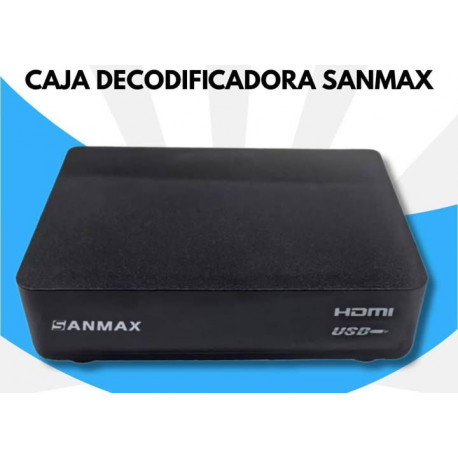
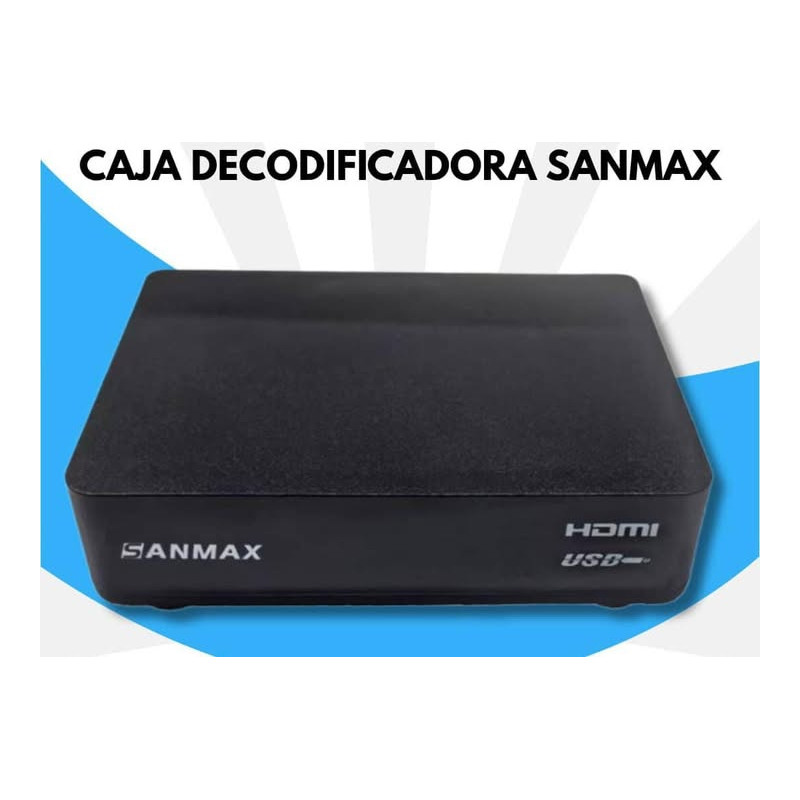
Nuevo Venta! Caja Decodificadora de Alta Definición Sanmax SAX2305OS01

Caja Decodificadora de Alta Definición Sanmax SAX2305OS01

C-SMXCD117

Nuevo producto

Caja Decodificadora de Alta Definición Sanmax, modelo SAX2305OS01

Tiempo de entrega estimado: 30 días hábiles

Tiempo de garantía: 6 meses

85 artículos

$33.00

Cajas Decodificadoras de Alta Definición
Modelo: SAX2305OS01
Marca: SANMAX

Hardware Especificación:
USB
USB 2.0 port
Receiver Standard: DTMB GB 20600-2006, any spec related to channel bandwidth will be adapted to 6MHz system.
Video Output
NTSC 59.94Hz and HD 59.94Hz
Constellation
4QAM/4QAM-NR/16QAM/32QAM/64QAM

Standard
Frame Head
420/595/945
Carrier Counts
C=1/C=3780
FEC
0.4/0.6/0.8
Comply with the 7 modes recommended by the Chinese standard
Tuner
Input Frequency (Digital)
USA7~13, 174-216MHz
USA14-69, 470-863MHz
Power
Power Supply

Internal power board. 85~240V AC 50/60Hz.
USB loadability
Can handle an external HDD directly without additional power supply
Tuner RF input connector
USA F-type female
Rear Panel
Audio Video output
videoLR HDMI X1
USB
USBX1
Sistema Especificación
Transport Stream
MPEG-2 ISO/IEC13818

Video
Profile Level
MPEG2 / AVS P2/AVS+/ H264
Frame Rate
25 (PAL4.43); 30/29.95 (NTSC3.58)
Ratio Mode
Auto/Letter Box
MPEG-1
Layer 1, 2
HE-AAC
Version 1/2
Audio
Audio mode
Stereo / L / R / Mono
MPEG-1 audio
ISO/IEC 11172-3
MPEG-2 audio
ISO/IEC 13818-3
Dolby AC3
ATSC A52
Usar Features
TV/Radio Switch
direct key
Last-Use save into Memory
Save the volume and channel data status into Flash such that it will work after unpluging power
Background Graphics availability when boot
ODM can change (Same with Radio Logo)
Features
EPG ( Electronic Program guide) for on screen channel information
Support 7 days
EPG related to Timer
Support Languages
English, Spanish(default)
Audio Mute
Mute OSD display
Audio Volume Control
display from 0 to 100
Tuning
direct channel number plus minor (M.N)
TV/Radio Channel List
Manage TV/Radio channel list in Preview window
Recall
Recall last selected channel
Programa Management
Delete all Channel
Channel information display while channel change in full playback
Delete all radio, TV channels
window Management
Display: Channel name/date/time/Channel number
fav/skip
Startup
Startup screen
Show logo
Startup Channel
bootup with last watched TV or Radio channel
Time
Get time in stream automatically
Wakeup date and time (On time switch)
User can input time
Data broadcasting
ABS system
News, etc
Information
Show channel information/Signal intensity/Signal quality
Tools
Default value
User reset to factory default setting.
Software upgrade via USB
UART internal for service
FAT Support
support format USB device
Filesystem
NTFS support
Long file name support
Multi-partition support
Record
Can record to USB HDD
Play
Can play media file in USB
Media Player features
File type in file list
Display file type supported by media player
Folder browser
File Sort
By Alphabet
Browser files
«Up/Down/Page+/Page-» to move cursor, and use «Enter» to enter fold
Play file
User can use «Enter/Play» to play selected file in full screen with banner information
Play
Basic playback operation
Play/Pause/Stop/Jump/Next/Previous
Media video
Supported video format
MP4, AVI, MKV, RMVB, FLV, VOB, MPG up to 1080P
Subtitle playback in video files
Support .srt files
Media audio
Repeat mode
Play mode select: repeat one/repeat all/random
JPEG
Support JPEG/BMP format
JPEG/BMP/PNG
Basic playback operation
Show OSD, user can exit by pressing «exit» key
JPEG+MP3
Audio Playback while displaying pictures
Support
USB PVR ready features
USB disk free space auto detect
USB disk check
USB disk partition support
Mount one from multi-partition
Record
EPG Timer Record
Record device
Timeshift and PVR in same device
Time shifting
Time shifting while recording
Shifting the same program under recording
Play/Pause/Stop
User operation on Banner (Record file/Time Shifted Recording)
Fast Forward
Time search: Jump to user selected time point
Recoding file and playback
Full screen playback
Can select recorded file and playback on full screen
Browse record files
Press «Play» to preview files
Record file name information display
Can display record program_name/Size
Others
DVB Subtitle
DVB Subtitle
Choose from all availale services
Box style
Apperance
DC switch to totally switch power off
Any key on panel to power on
Accessory
Remote control
AAA Battery x2
Parts
Instruction book
AV cable
DC Adapter
HDMI Cable

Cajas Decodificadoras de Alta Definición
Modelo: SAX2305OS01
Marca: SANMAX

Hardware Especificación:
USB
USB 2.0 port
Receiver Standard: DTMB GB 20600-2006, any spec related to channel bandwidth will be adapted to 6MHz system.
Video Output
NTSC 59.94Hz and HD 59.94Hz
Constellation
4QAM/4QAM-NR/16QAM/32QAM/64QAM
Standard
Frame Head
420/595/945
Carrier Counts
C=1/C=3780
FEC
0.4/0.6/0.8
Comply with the 7 modes recommended by the Chinese standard
Tuner
Input Frequency (Digital)
USA7~13, 174-216MHz
USA14-69, 470-863MHz
Power
Power Supply
Internal power board. 85~240V AC 50/60Hz.
USB loadability
Can handle an external HDD directly without additional power supply
Tuner RF input connector
USA F-type female
Rear Panel
Audio Video output
videoLR HDMI X1
USB
USBX1
Sistema Especificación
Transport Stream
MPEG-2 ISO/IEC13818
Video
Profile Level
MPEG2 / AVS P2/AVS+/ H264
Frame Rate
25 (PAL4.43); 30/29.95 (NTSC3.58)
Ratio Mode
Auto/Letter Box
MPEG-1
Layer 1, 2
HE-AAC
Version 1/2
Audio
Audio mode
Stereo / L / R / Mono
MPEG-1 audio
ISO/IEC 11172-3
MPEG-2 audio
ISO/IEC 13818-3
Dolby AC3
ATSC A52
Usar Features
TV/Radio Switch
direct key
Last-Use save into Memory
Save the volume and channel data status into Flash such that it will work after unpluging power
Background Graphics availability when boot
ODM can change (Same with Radio Logo)
Features
EPG ( Electronic Program guide) for on screen channel information
Support 7 days
EPG related to Timer
Support Languages
English, Spanish(default)
Audio Mute
Mute OSD display
Audio Volume Control
display from 0 to 100
Tuning
direct channel number plus minor (M.N)
TV/Radio Channel List
Manage TV/Radio channel list in Preview window
Recall
Recall last selected channel
Programa Management
Delete all Channel
Channel information display while channel change in full playback
Delete all radio, TV channels
window Management
Display: Channel name/date/time/Channel number
fav/skip
Startup
Startup screen
Show logo
Startup Channel
bootup with last watched TV or Radio channel
Time
Get time in stream automatically
Wakeup date and time (On time switch)
User can input time
Data broadcasting
ABS system
News, etc
Information
Show channel information/Signal intensity/Signal quality
Tools
Default value
User reset to factory default setting.
Software upgrade via USB
UART internal for service
FAT Support
support format USB device
Filesystem
NTFS support
Long file name support
Multi-partition support
Record
Can record to USB HDD
Play
Can play media file in USB
Media Player features
File type in file list
Display file type supported by media player
Folder browser
File Sort
By Alphabet
Browser files
«Up/Down/Page+/Page-» to move cursor, and use «Enter» to enter fold
Play file
User can use «Enter/Play» to play selected file in full screen with banner information
Play
Basic playback operation
Play/Pause/Stop/Jump/Next/Previous
Media video
Supported video format
MP4, AVI, MKV, RMVB, FLV, VOB, MPG up to 1080P
Subtitle playback in video files
Support .srt files
Media audio
Repeat mode
Play mode select: repeat one/repeat all/random
JPEG
Support JPEG/BMP format
JPEG/BMP/PNG
Basic playback operation
Show OSD, user can exit by pressing «exit» key
JPEG+MP3
Audio Playback while displaying pictures
Support
USB PVR ready features
USB disk free space auto detect
USB disk check
USB disk partition support
Mount one from multi-partition
Record
EPG Timer Record
Record device
Timeshift and PVR in same device
Time shifting
Time shifting while recording
Shifting the same program under recording
Play/Pause/Stop
User operation on Banner (Record file/Time Shifted Recording)
Fast Forward
Time search: Jump to user selected time point
Recoding file and playback
Full screen playback
Can select recorded file and playback on full screen
Browse record files
Press «Play» to preview files
Record file name information display
Can display record program_name/Size
Others
DVB Subtitle
DVB Subtitle
Choose from all availale services
Box style
Apperance
DC switch to totally switch power off
Any key on panel to power on
Accessory
Remote control
AAA Battery x2
Parts
Instruction book
AV cable
DC Adapter
HDMI Cable